
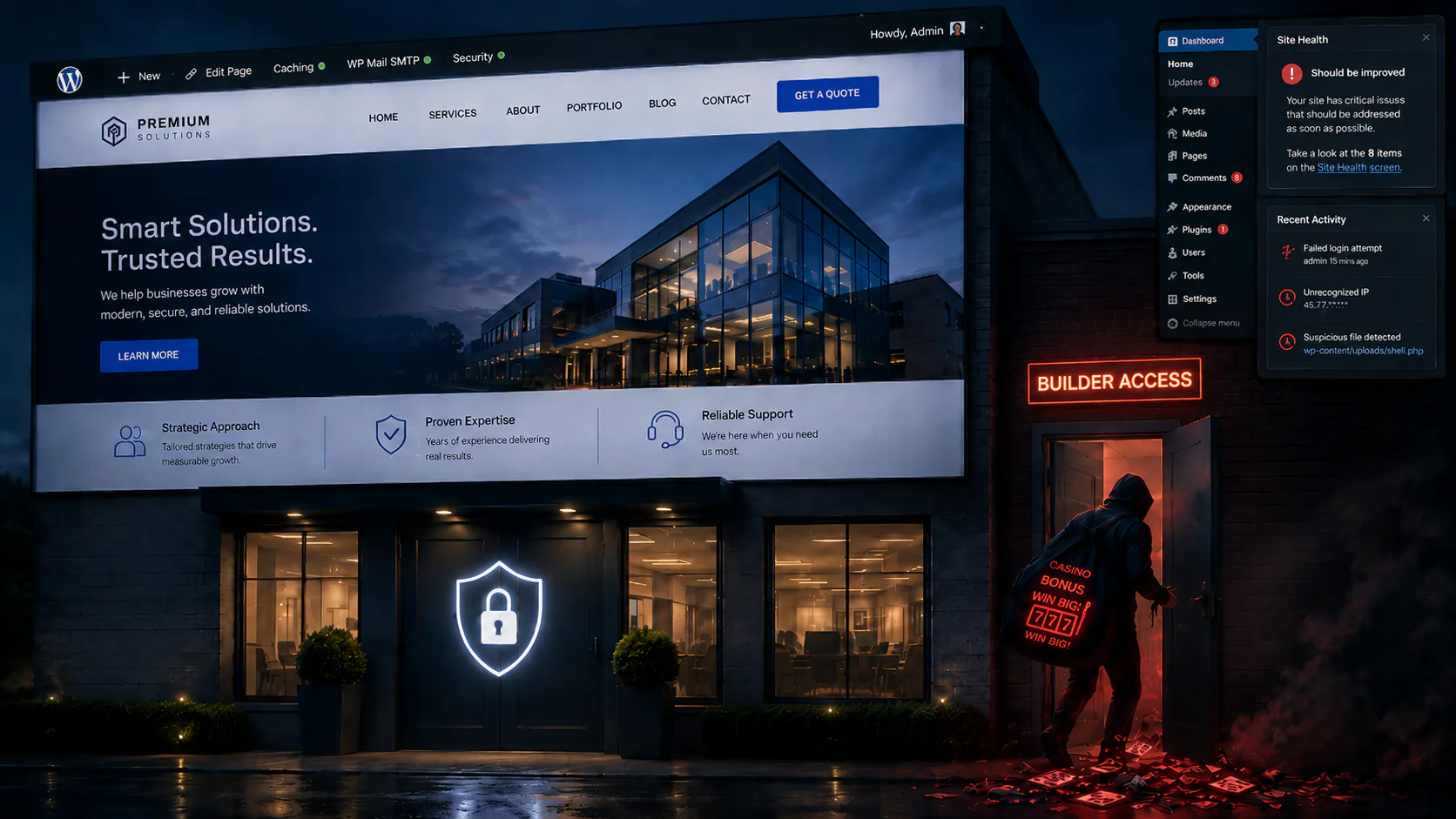
The Keys Were Never Taken Back
How a malware flag on one WordPress site uncovered a single operator quietly controlling two…and why deleting the malware was the least important part of the fix.
A boutique advisory-firm owner came to me with a deadline he didn’t choose. His host (SiteGround) had flagged malware on one of his two WordPress sites and was threatening to suspend it. He wanted the flag cleared and the site kept online which was reasonable, urgent, and, as it turned out, not the actual problem.
The actual problem was that someone who wasn’t supposed to be there had keys to both of his sites and had been letting himself back in at will.
The Client and the Problem
The client ran two brochure-style WordPress sites: Site A, a members’ network and community site, and Site B, his professional advisory firm. They lived on two separate SiteGround hosting accounts on two different servers, one site each. Both had originally been spun up on Hostinger’s AI site-builder and later migrated to SiteGround, dragging their history along with them.
The owner contacted me saying there were “tons of random ads on the backend” and that one site was flagged twice for malware and he hired me for a read-only assessment first.
What I Found
I expected a file virus which is the kind of thing a host scanner trips over but what I found was an access problem wearing a malware costume.
The first thing that jumped out was that the same rogue administrator account existed on both sites; it was an address belonging to neither the client nor anyone he’d authorised. Then the server logs lined up: a single India-based IP address appeared in the access logs of both sites. The client, for his part, had only ever logged in from US addresses.
The most damning detail came out of Site B’s security audit log, which recorded login attempts in order. The operator was caught failing to log in as the client’s account, then immediately succeeding as his own rogue admin…seconds apart. That single sequence refutes the comfortable reading that this was just the freelancer who built the sites doing routine maintenance. He didn’t have the client’s password but he had his own back door, and he used it which is the careful part of the story. The entry vector was the builder, not a server exploit: the same operator email and IP on both sites, both built and migrated by the same third party, each compromised in its own way from the start. The evidence points squarely at the freelancer who built the sites…or to be fair someone operating through his toolchain. Whether it was that individual personally was never something I could prove, and I won’t pretend otherwise. What is well supported is that a single unauthorised party controlled both sites.
Read further back, the same log made the relationship plain. Weeks before that rogue account existed, the operator had been signed in as the client’s own administrator account (installing and removing plugins, managing the site) from an India-based address on the very same days the real client was signing in from the US. This never started as a break-in. The builder still held the client’s login from when the site was built and simply used it. The separate admin account came later and deliberately: a spare key cut so that access wouldn’t depend on a password the client might one day change. The failed-login-then-back-door sequence wasn’t the beginning of the intrusion…it was the moment the client finally changed that password and the operator fell back to the copy he’d kept. He hadn’t broken in but rather had been handed a key and quietly made himself another.
The two infections didn’t even look alike:
-
Site A had been strip-mined for SEO spam. Roughly 33 of its ~40 published posts were gambling and casino doorway pages in eight-plus languages (Russian, Thai, Portuguese, German, Indonesian, Vietnamese, Swedish, English) live, indexable, and pointing at external casino domains. Scattered among them were the operator’s own test-marker posts (
tc-check-*, “Test Post Created”) and 1,083 post revisions left over from bulk auto-generation. The site ran a nulled copy of a premium page-builder plugin aka an unlicensed redistribution with the license stripped out, which means no security updates and no way to verify it hasn’t been tampered with. And the client had no administrator account on this site at all, only the operator’s accounts existed. -
Site B was where the host-flagged malware lived. The operator had installed a web-based “file manager” plugin and run 144 file operations through it in a single day which was the delivery mechanism for the malicious files SiteGround caught. By the time I assessed it, those files were already off disk (an UpdraftPlus restore had overwritten them weeks earlier) but the operator had simply come back and re-uploaded them. That detail matters more than any single file because it tells you exactly why a previous “cleanup” hadn’t held.
The central insight was that there were no web shells, no malicious cron jobs, no attacker SSH keys, and the persistence was access-based, not file-based. The durable footholds were rogue admin accounts, the file-manager backdoor, the nulled plugin, and (found later) a hijacked notification email and a spare database account. Delete the malware and leave those in place, and you’ve changed the locks while the burglar still holds a key to the back door. The whole engagement turned on one principle: you evict the operator, then you clean…not the other way around.
The Work
The client chose the in-place clean: keep WordPress on SiteGround, disinfect and harden. (I’d recommended converting these brochure sites to static files on protected hosting, which removes this entire class of attack but he elected to keep them as WordPress sites and my job was to make that option genuinely safe.) Sequence mattered, and both sites stayed online the whole time.
Phase 01: Back up first
Before touching anything, I pulled a full file archive and database dump of each site off the servers to local storage, verified them by checksum, then removed the server-side copies so a backup couldn’t itself become an exposure.Phase 02: Evict
I removed the rogue admins from both sites and created a proper owner administrator for the client on Site A, where he’d never had one, reassigning all his real content to it. Then I rotated every admin password, revoked application passwords, and shuffled the security salts which instantly invalidates every existing login session. That last step is the one that actually cuts a live attacker’s connection; changing a password alone doesn’t. I pulled the operator’s tools (the file-manager backdoor, a spam auto-linker) and the nulled plugin, and changed the hidden-login addresses on both sites since the operator knew the old ones. Before deleting the nulled plugin I confirmed no live page relied on any of its premium-only features so removing it didn’t break a thing.Phase 03: Clean
I deleted all ~38 spam, test, and default posts and purged the 1,083 revisions while keeping every piece of real content. Leftover Hostinger platform plugins and unused themes came out. Then I reinstalled WordPress core and every plugin and theme from official sources. Why? Replacing files wholesale with verified-genuine copies is far more reliable than squinting at each one for tampering. The post-clean scan verified core against checksums on both sites, every plugin against official checksums (9 of 9 on Site A, 11 of 11 on Site B), and found no PHP in the uploads folder and no obfuscated code. The “recent uploads” the host had flagged on Site B turned out to be benign favicon image files.Phase 04: Harden
I enforced two-factor authentication on both sites; Site B actually had a 2FA plugin but it was set to “do not enforce” which is the same as off, so I turned it on properly. I deployed a small custom hardening plugin to disable XML-RPC, block REST-API and author-archive username harvesting, and strip the WordPress version string; I locked the built-in file editor, and left each site with exactly one administrator: the client.Phase 05: Build
With the site secure, I added the two pages the client wanted on Site B: an application page and an inquiry page, each embedding his vendor application form and verified to render on desktop and mobile, and then I generated branded favicons for both sites from his logos.Going Deeper
The obvious foothold is rarely the only one, so I ran a deliberate second sweep asking a single question: what did the first pass miss?
The most important find was web-exposed backups. Both sites were running daily UpdraftPlus backups with no remote storage, writing full archives into a folder inside the website itself. On Site B, those .zip archives were downloadable by anyone: the host’s static-file delivery served them up and quietly bypassed the rule that was supposed to block access. Anyone who guessed the path could have pulled the entire site, database included. I moved every archive out of the web root, deleted the old compromised-era backups with the client’s approval, and switched backups to manual so no new exposed copies get written.
The sweep also turned up a hijacked admin-notification email on Site A…the site’s recovery address was still pointed at the operator which was a silent way to intercept password resets that the account cleanup hadn’t touched, so I reset it to the client. There was an unexplained extra database account and an empty spare database (operator leftovers, a spare key to the data), which I removed and then rotated both sites’ database passwords. And nine more spam posts were hiding in the trash. Everything else I checked (run-on-every-request backdoors, disguised PHP, image-polyglot files, capability-injected hidden admins, injected database options) came back clean.
After that, I did another pass back through the databases directly to make sure nothing was hiding in the data rather than the files and they were clean of injection…none of the usual signatures, malicious autoloaded options, and no script or redirect payloads buried in the settings. The distinction worth drawing is that the gambling spam had lived in the database, but as ordinary content (posts, revisions, rogue users) which I’d already removed; there was never an injected payload hiding in the machinery. What remained was merely clutter: 86 orphaned settings rows left pointing at plugins I’d pulled which I cleared out so nothing kept reaching for software that no longer existed.
Outcomes
| Area | Before | After |
|---|---|---|
| Administrator accounts | Operator's hidden admins (client had none on Site A) | One per site — the client |
| Gambling / spam pages (Site A) | ~33 live, plus hidden test and trashed pages | Zero |
| Back-door tools & nulled plugins | Installed and in use | Removed |
| Passwords (logins + database) | Known to the operator | All rotated |
| Active intruder sessions | Open — operator returning at will | All invalidated |
| Two-factor auth | Off / not enforced | Required on both |
| Daily backups exposed on the web | Yes — downloadable on Site B | Closed; backups set to manual |
| Hijacked notification email | Pointed at the operator (Site A) | Pointed at the client |
| Code injected in the database | Unverified | None found; orphaned rows cleared |
| Software integrity | Tampering possible | Reinstalled & checksum-verified |
| Malware scan | Host-flagged; suspension threatened | Clean — scanned repeatedly; risk resolved |
| Uptime during the work | — | No outage; full pre-change backups taken |
Both sites came out clean, locked down, and for the first time under the client’s control, but the websites it turned out were only part of the surface.
The Part I Couldn’t Reach From the Website
Securing the sites and their hosting didn’t, by itself, close the case and it’s worth being honest about why. A web property like this actually spans four separate accounts, usually all set up by whoever built it: the website itself, the hosting it runs on, the domain registration, and the email for the domain. I’d locked down the first two. The other two are separate logins I can’t reach from inside WordPress and they matter enormously because whoever controls them can quietly undo everything else…the domain account can repoint the address anywhere and the email account can intercept the very password-reset messages that protect every other login.
Then one of them moved while I was still working. Site B’s email had no service configured at all when I assessed it; within a day it had been switched onto Google Workspace, complete with a fresh domain-verification record. If the client did that, fine. If he didn’t, it means someone still had their hands on the domain’s DNS settings which is precisely the kind of foothold this whole engagement was about. I flagged it to him as a confirm-this-now item rather than something I could resolve from my side.
So the closeout pivoted to ownership: confirming the client (not the builder) controls the registrar and the email, and removing anyone who shouldn’t be there.
There’s a search-engine tail to it, too. Site A’s gambling pages were indexed by Google before I removed them, and a clean site doesn’t clean Google’s memory; the old URLs, and any penalty attached to them linger until they’re formally addressed. The deleted pages now return “gone” and the sitemap is clean but the de-indexing and any reconsideration request is search-engine work on Google’s timeline, scoped as its own separate effort rather than quietly folded into the cleanup.
It also bears mentioning that I finally put a name to those “random ads” the client had flagged at the very start: they weren’t malware but were rather just upgrade prompts and “leave us a review” banners from the free plugins themselves…noisy and a little obnoxious but harmless. Sometimes the most reassuring thing you can tell a client is that the thing worrying them isn’t the threat. The real threat was the quiet one he’d never noticed.
What This Case Teaches
The host flagged a malware file and the file was the easy part. The job was evicting the person behind it, and this time he’s locked out.
Methods & tooling
For readers who want the technical detail: access was key-based SSH into managed shared hosting (read-only for the assessment phase, read/write for remediation). Almost everything was driven through wp-cli: user and role management, content and revision purges, plugin and theme reinstall, checksum verification, salt rotation, and config edits. Attribution came from forensic log analysis of server access logs cross-referenced with the security plugin’s database audit log, tying activity to the operator’s IP and reconstructing the timeline. File integrity was checked against official source checksums, with heuristic scans for obfuscated and alternate-extension PHP and upload-directory payloads. Favicons were generated with ImageMagick. Two host-specific quirks were worth working around: an edge anti-bot challenge that interferes with simple external fetches (so pages were verified via server-side loopback requests), and a server-level dynamic cache that doesn’t purge without the host’s own optimiser, which made edits look stale until manually flushed.
If your site has been “cleaned” before and the trouble keeps coming back (or you suspect the person who built it still has a way in) that’s exactly the pattern I specialise in. Get in touch with Stonegate Web Security.
Related Reading
-
Case Study: It Started with a Spoofing Complaint
A real estate agent's WordPress site, compromised for over two years with four backdoors, concurrent attacker sessions, and wire-fraud attempts targeting closings. -
Case Study: The Overcached Website
When the problem isn't the site but the layers of cache and CDN in front of it, and why telling stale residue apart from a real fault is half the battle. -
Case Study: The Marketing Campaign That Followed Her Home
How a cold-email campaign poisoned a company's own domain reputation, sending ordinary client correspondence to spam, and why the mail logs told a different story than everyone believed. -
Case Study: Thirty Sites, Two Keys
Repeated malware cleanups failed across a marketing agency's WordPress portfolio because a former contractor's hosting account and a staff administrator's stolen credentials remained active.