
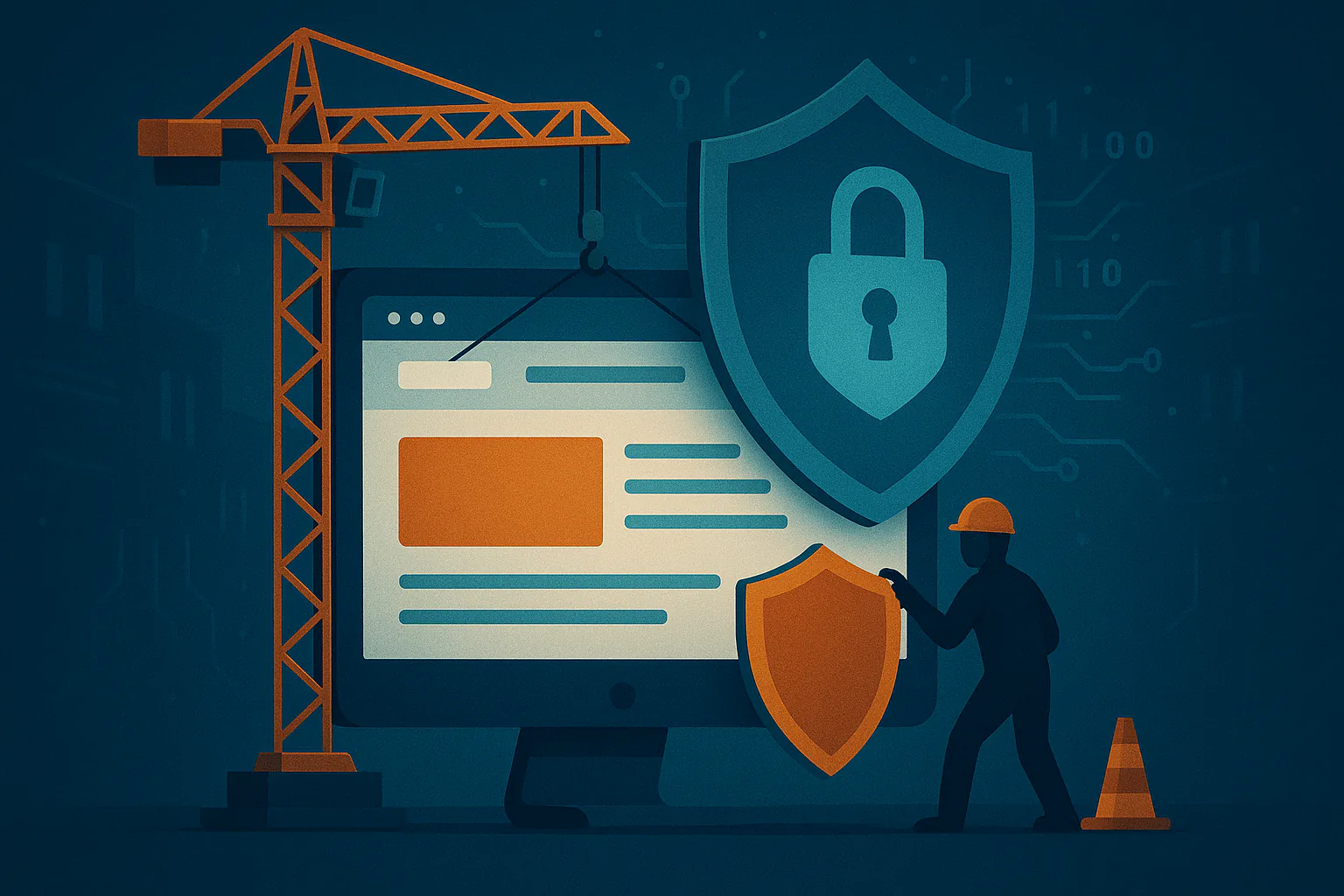
Most Websites Get Built Backwards
Here’s how most small business websites come together. You hire a designer, you talk about colors, fonts, and the feel you’re going for, you look at a few mockups and pick the one you like, and then a few weeks later the site goes live, it looks great, and everybody’s happy.
Now think about what never came up in those conversations. Where’s the site hosted, and who else is on that server? Who’s going to update it next month and the month after that? What happens when one of the plugins it depends on gets abandoned by its developer? Where do your contact form emails actually go and do they reliably get there?
Those questions still get answered, but they just kind of get answered by default which usually means nobody really answered them at all.
Tp be clear, that isn’t a knock on designers as most of them are genuinely good at what they do. The problem is that what they do is design and a website today is a lot more than a design…it’s a piece of software running on a server that’s connected to the entire internet and automated tools start poking at it within hours of it going live.
I spend a good chunk of my time cleaning up compromised websites and the story is almost always the same. The site looked fine, it was just never built or maintained by anyone who was thinking about what could go wrong.
A security-first build flips the order. We decide how your site will be hosted, protected, backed up, and maintained before we decide what it’ll look like, and THEN the design happens inside those boundaries. If a design idea requires something we can’t secure, the design changes.
- Design
- exposedLaunch
- Find the gaps
- ▼ securityPatch later
- ▼ securityPlan protection
- Design
- Launch
- Maintain
What “Getting Hacked” Actually Looks Like Now
When most people picture a hacked website, they imagine a defaced homepage with some hacker’s logo splashed across it. That almost never happens anymore. Attackers don’t want you to notice. They want your site to keep running normally so they can quietly use it.
Here’s what we actually find when we clean up a compromised small business site:
Fake browser update pop-ups. Injected code shows some of your visitors a convincing message saying their browser is out of date, with a download button that installs malware. You won’t see it when you visit your own site, because the code is usually smart enough to skip logged-in admins and repeat visitors. Your customers see it, though.
Spam pages you never wrote. Hundreds or thousands of pages selling knockoff products, pills, or gambling get added to your domain. They ride on the reputation you spent years building, and they usually show up in Google search results before you notice anything is wrong.
Sneaky redirects. Visitors who arrive from a Google search get bounced to a scam site, while people who type your address directly see your normal homepage. That’s exactly why these can run for weeks without the owner catching them.
Your server sending spam. A compromised site can be turned into a spam relay. Once that happens, your domain can land on email blocklists, and suddenly your own quotes and invoices start going to your customers’ junk folders.
Backdoors. Attackers almost always leave themselves a way back in, like a hidden admin account or a file tucked away somewhere that looks harmless. That’s why a quick “cleanup” often doesn’t stick, and the site gets reinfected a week later.
The real cost usually isn’t the cleanup bill. It’s the red “Deceptive site ahead” warning that Chrome shows your visitors, the rankings you lose while Google sorts it out, and the customers who saw that warning once and never came back.
And here’s the part that surprises people: none of this is personal. Nobody looked at your bakery or your law office and decided to target it. Bots scan millions of sites around the clock, looking for specific outdated plugins and weak logins. Being a small business doesn’t keep you off the radar. If anything, it makes you an easier find, because small sites are the ones least likely to have anyone watching them.
Why “Design Now, Maintain Later” Doesn’t Hold Up
Most of the compromises we clean up don’t involve some brilliant new attack. They come through known holes that already had a fix available. A plugin had a security update sitting there for weeks or months, and nobody installed it. A plugin’s developer stopped maintaining it years ago, so no fix was ever coming. An admin account had a reused password and no two-factor login. The site sat on cheap shared hosting next to hundreds of other neglected sites.
The gap between a vulnerability being made public and bots mass-exploiting it keeps shrinking, too. Attackers use automation, and more and more they use AI tools, to turn a published security advisory into a working attack quickly. We’re often talking days, sometimes hours. A maintenance plan that means someone clicks “update all” once a month just isn’t built for that pace.
And “update all” has its own problem. Blind updates sometimes break things. After that happens once or twice, a lot of site owners (and a lot of designers) stop updating altogether because they’re afraid of breaking the site. That’s how sites end up running plugins that are two or three years out of date.
None of this gets fixed by a nicer design. It gets fixed by building the site so that it’s simpler to protect, and then having someone who actually knows what to look for keep an eye on it.
What Security-First Means in Practice
“Secure” is easy to put on a sales page. Here’s what it actually means when we build your site, in the order it comes together.
Foundation
The decisions that are expensive to change later, so we make them first.
Hosting you’re not sharing with strangers
Your site runs on a server we manage, not a bargain shared hosting plan where one neighbor’s infection can spill into yours. Each site is kept separate from the others. The server runs current, supported software, and it’s kept that way. In front of it all sits a firewall layer that filters out a big chunk of malicious traffic and bot noise before it ever reaches your site, and your login page gets extra protection so password-guessing bots hit a wall.
Fewer plugins, chosen on purpose
Every plugin is someone else’s code running on your site with a lot of access. That doesn’t make plugins bad, but it does mean each one should earn its spot. Before we add one, we look at whether it’s actively maintained, how often it’s updated, how its developer has handled security problems in the past, and whether we even need it, or whether the job can be handled more simply at the server level.
We regularly take over sites with dozens of plugins, including several that were deactivated and forgotten. Deactivated isn’t the same as gone. Those files are still sitting on the server, and if they’ve got a known vulnerability, they can still be a way in.
Logins that are actually locked down
Everyone who needs access gets their own account, with two-factor login turned on. People get the access their role needs and no more. Your office manager who updates the hours page doesn’t need full admin rights. We switch off risky defaults, like the ability to edit site code straight from the dashboard, which is one of the first things an attacker uses after getting in.
Daily operation
What keeps running quietly in the background once your site is live.
Backups that live somewhere else
A backup stored on the same server as your site isn’t really a backup. If the server’s compromised or wiped, the backup goes with it. Your backups are stored off the server, taken daily, and kept for long enough that we can roll back to a point before an infection started. That matters more than people think, because infections often go unnoticed for weeks. We also test restores, because a backup you’ve never restored is just a hope.
Someone’s watching after launch
Launch day is the start, not the finish. After your site goes live, we apply updates promptly and check that nothing broke, rather than clicking “update all” and hoping for the best. We monitor whether the site is up, whether its files change unexpectedly, and whether anything shows up that shouldn’t be there. The goal is simple: if something goes wrong, we hear about it before your customers do.
Contact forms that keep the junk out and let the leads in
Contact forms are one of the most abused parts of any small business site. We filter out spam without forcing your real customers through annoying puzzles. (We wrote a whole piece on how contact form spam works in 2026 if you want the details.)
Just as important, we make sure the leads actually reach you. A lot of sites send form emails in a way that looks suspicious to Gmail and Outlook, so real inquiries quietly land in spam or get rejected outright. Since Google and Yahoo tightened their sender rules in 2024, this has gotten a lot more common. We set up your domain’s email authentication properly (the behind-the-scenes records called SPF, DKIM, and DMARC) so your form messages, and your regular email, get delivered.
Long-term control
What makes sure the site stays yours, and keeps paying off.
You own everything
This one isn’t technical, but it causes a surprising amount of grief. We see it all the time: a designer registered the business’s domain under their own account, then moved on or stopped answering emails, and the owner can’t get control of their own web address. When we build your site, the domain is registered in your name, in an account you control. You have full admin access, and your setup is documented, so you’re never stuck depending on one person to get into your own website.
Speed that comes along for the ride
A lean site with fewer plugins, sensible caching, and a properly configured server is a fast site. That isn’t an extra we bolt on at the end. It’s a side effect of building it right. Google does factor secure connections and page experience into its rankings, and while neither one is a magic switch, slow and insecure sites lose visitors before they ever read a word. Chrome also labels sites without a secure connection as “Not secure” right in the address bar, which is about the last thing you want a new customer to see.
Why It Pays to Start This Way
You only build it once. Adding security to an existing site is a lot harder than building it in from the start. It often means ripping out plugins, untangling old shortcuts, and sometimes rebuilding big pieces of the site. Cleaning up after a compromise is worse, because now you’re also dealing with lost rankings, browser warnings, and customers asking questions. Doing it right the first time is almost always the cheaper path.
Google and your customers notice. A site that’s fast, secure, and has never been flagged earns trust over time, from search engines and from people. A site that’s been hacked can carry that history around for a while, even after it’s cleaned up.
It grows with you. When your business grows, you’ll want to add things: online booking, a new service area, maybe a shop. A clean, well-organized foundation lets you add features without piling on new risk or slowing everything down. A site that’s already held together with tape usually needs a full rebuild the moment you ask it to do something new.
Questions to Ask Before You Hire Anyone (Including Us)
Whoever you end up working with, these are worth asking before you sign anything. A good answer should be specific. A vague one tells you a lot.
- Where will my site be hosted, and is it on a server shared with other people's sites?
Listen forA named provider, your site kept separate from other customers' sites, and a clear answer about who keeps the server itself updated.
Red flag"It's on our hosting," with no details.
- Whose name and account will my domain be registered under?
Listen forYour business's name, in a registrar account you own and can log into yourself.
Red flag"We'll register it for you" under their own account.
- Where are backups stored, how far back do they go, and when was a restore last tested?
Listen forAn off-server location, a stated retention period, and evidence of a recent restore test.
Red flagBackups that live on the same server as the site, or a restore that's never been tried.
- Who updates the site after launch, how quickly, and how do you make sure updates don't break anything?
Listen forA specific person or role, security updates applied within days rather than weeks, and a check or rollback plan for every update.
Red flag"We run updates once a month," or "the plugins update themselves."
- How do contact form emails get delivered, and how do you keep them out of spam folders?
Listen forForm mail sent through an authenticated mail service, with SPF, DKIM, and DMARC set up for your domain.
Red flagA blank look, or "just check your spam folder."
- If my site does get hacked, what happens next, and who pays for the cleanup?
Listen forA response plan they can describe step by step, a rough timeframe, and a clear answer on whether cleanup is included or billed separately.
Red flag"That won't happen," or "we'd figure it out."
If someone can’t answer those clearly, they’re probably planning to figure it out later. Later is usually when it’s already a problem.
You’re Not Buying a Website. You’re Building an Asset.
Your website isn’t a brochure. It’s your first impression, your storefront, and the closest thing you’ve got to a salesperson who works around the clock. It deserves to be built like something you’re planning to keep.
Whether you’re just getting started or you’re ready to move off a DIY builder or an old site you’re nervous about, we’ll build it secure, keep it fast, and manage it for you, so you can focus on running your business instead of worrying about your website.
Ready to Start Right?
We’ll design, secure, and launch your site the right way, with off-site daily backups, solid SEO, and someone actually watching it after launch.
No jargon. No surprise bills. Just a website that works and keeps working.
Related Reading
-
Why Local Website Design Companies Can’t Be Trusted With Your Security
Even professional agencies often skip essential hardening steps. -
Security and Speed: Why Fast, Safe Websites Win More Customers
Managed security makes your site perform better and rank higher. -
First Impressions Matter: Why Website Security Builds Customer Trust
A secure site doesn’t just protect — it reassures your visitors instantly.