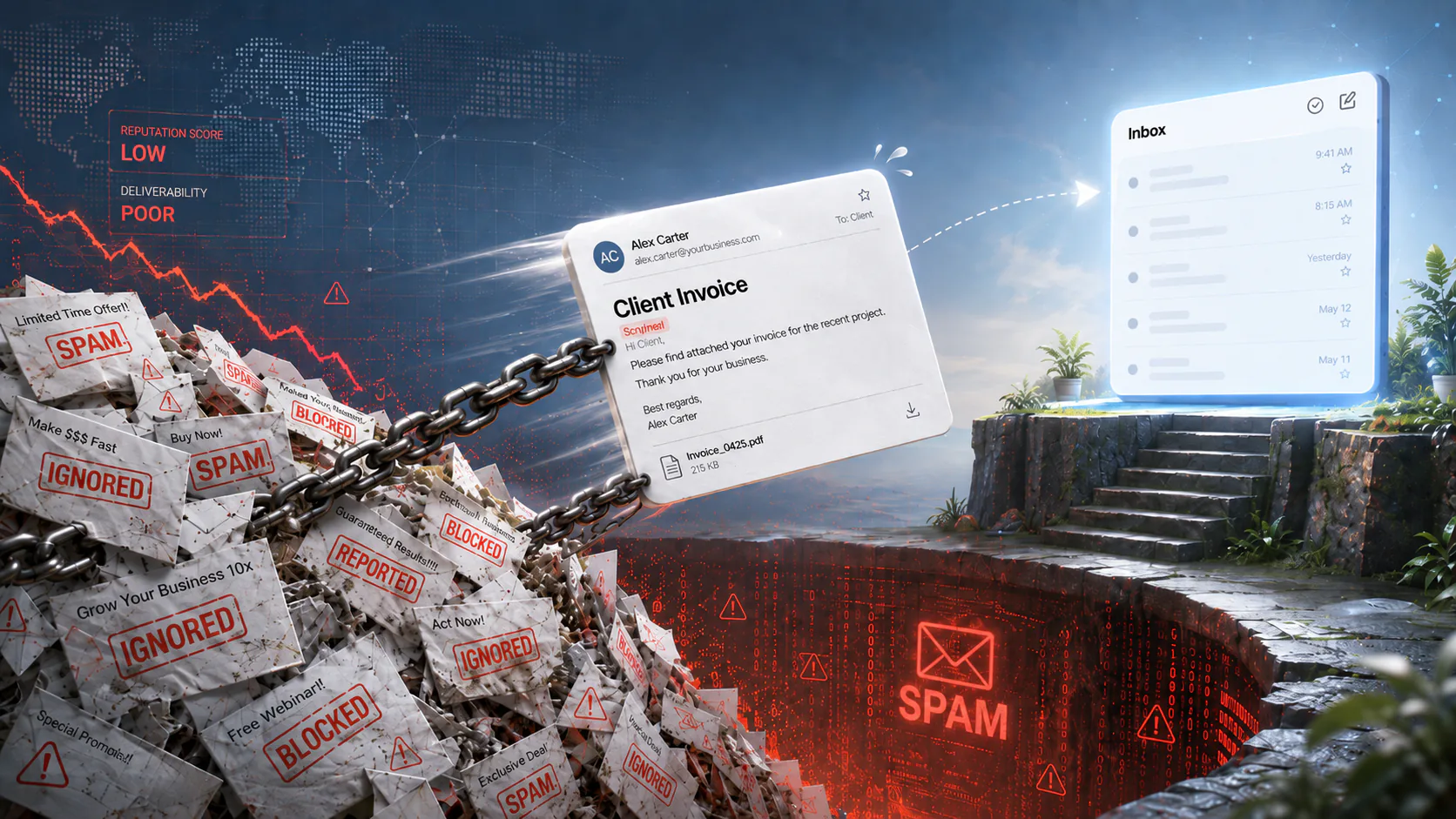
Domain Reputation Case Study: Cold Email Campaign Sent Client Emails to Spam
A medical billing company’s cold-email campaign damaged its domain’s reputation so badly that ordinary one-to-one client emails started disappearing into spam folders. The fix required separating what everyone believed was happening from what the mail logs actually showed.
Introduction: When Your Own Name Works Against You
The owner of a medical billing company came to me with a problem that had been getting worse for months: emails she sent to clients (not marketing blasts, just ordinary correspondence from her Outlook inbox) weren’t arriving. Clients with Gmail addresses told her they’d never received messages she knew she’d sent, and her own tracking showed emails going out and never being opened. One rejection notice put it bluntly: the recipient’s mail server suspects your message is spam and rejected it.
She had already tried to fix it. Two previous consultants had set her up with email “warm-up” services and she’d run them for two months seeing no change. So, she then started using her second company’s domain for outreach which solved nothing and confused clients…they’d get email from one domain and replies from another, which, as she put it, “looks a little fishy.” For a business built on handling other people’s billing, having your own emails treated as fraud is definitely more than an inconvenience.
But like most problems, this one hadn’t started on its own. Rather, it started (by her own account) when she began sending marketing email.
Part One: How a Domain Gets a Record
On our first call, the history came out quickly. The client had exported lead lists from a LinkedIn-based prospecting tool and imported them into her website platform’s email marketing system, then sent cold campaigns to those lists. By her estimate, she had sent close to a hundred thousand emails at the peak.
Many of the addresses were dead though, and the ones that weren’t belonged to people who had never asked to hear from her. Those two facts are enough to damage a domain because receiving providers weight them heavily and they compound each other.
See, when an email bounces off a nonexistent address, the receiving provider learns something about the sender: this person’s list isn’t clean. Legitimate senders prune their lists so a high bounce rate is the signature of a purchased or scraped one. And then when a real person from that list receives an email and clicks “Report spam,” that’s direct user feedback…and the strongest negative signal there is. Gmail’s published spam-complaint threshold is 0.3% which amounts to three complaints per thousand emails and at the volume she was sending, crossing that line obviously wouldn’t have taken long.
I use a credit score analogy to explain all this to clients because it holds up well: your domain has a reputation score, most of it is black-boxed, negative marks accumulate quickly, and rehabilitation is slow. But the detail that pertains to this client’s specific problem is this: the reputation attaches to the domain name itself, not to the tool used to send. Gmail doesn’t distinguish between a bulk campaign sent through a marketing platform and a personal note sent from Outlook; both simply read as from her domain, and that’s why the damage from the campaigns followed her back into her everyday business correspondence.
The warm-up services deserve a word: these services build networks of inboxes that automatically open and reply to your mail hoping to simulate engagement and game the reputation algorithms. They used to work but providers have since gotten good at detecting artificial engagement patterns, and being caught using one can sometimes have negative effects.
Part Two: Reading the Domain From the Outside
Before the contract started, I did what I always do first: I pulled the domain’s public DNS records because every receiving provider checks an inbound email against them. Three records matter most.
SPF
This is the list of servers allowed to send as your domain. Hers authorized Microsoft 365, her website platform's mail server, and two services she no longer used: Mailchimp and SendGrid. Stale authorizations aren't an emergency but every entry in an SPF record is a standing grant of permission to send mail in your name and hence unused ones should go (especially because you're only permitted 10 lookups).
DKIM
This is the cryptographic signature attached to outbound mail, the digital equivalent of a wax seal. She had DKIM public keys published in DNS but publishing the keys and actually signing the mail are two separate things; the signing switch lives inside the Microsoft 365 admin portal which I couldn't see from the outside.
DMARC
This is the policy that tells providers what to do with mail claiming to be from your domain that fails authentication. Her domain's was set to p=reject which is the strictest option and normally the gold standard. But if DKIM signing had never been activated, that strict policy would be instructing Gmail to throw away her own legitimate email. A reject policy is a loaded instrument: pointed at impersonators, it's protection; pointed at a misconfigured sender, it's self-sabotage.
And there was one more detail, small but telling. DMARC has a reporting feature: providers send daily aggregate reports describing what they did with your mail and why. Her record’s reporting address was [email protected] which I’m sure you can see was just a template placeholder…whoever had set up the record left the literal example text in place. So, for the entire life of the problem, detailed daily reports about her domain’s authentication results had been mailed into the void.
The DNS told a familiar story for a small business: a record set assembled by different hands at different times…the website platform here, a marketing tool there, a half-finished security template on top…with nobody holding the full picture. None of it was malicious but all of it was load-bearing and that’s significant because email authentication is one of the few systems where a single stale line of configuration can silently decide whether your invoices arrive.
Part Three: The Quick Fixes and the First Surprise
The first milestone was straightforward remediation, and most of it took a day:
remediation.log
verified
Verified DKIM signing was active in Microsoft 365; it was, which removed the worst-case scenario and meant the p=reject policy could safely stay.
replaced
Replaced the placeholder DMARC reporting address with a working one and reports started flowing the next day.
removed
Removed the unused Mailchimp and SendGrid entries from SPF, along with their orphaned DKIM keys and other stale DNS records.
enabled
Set up and verified Google Postmaster Tools, Google's dashboard for seeing your domain's reputation as Gmail sees it.
clean
Checked the domain and its sending IPs against more than eighty industry blocklists and it was clean on all of them.
That last result reframed the problem. Blocklists are the easy villain because they’re a binary you can point at and request delisting from. A clean blocklist sweep meant the issue lived entirely in the soft, probabilistic world of reputation and content scoring and while that’s harder to see, it’s also better news than it sounds because some blocklists never let you off whereas reputation recovers with behavior.
Postmaster Tools delivered the first surprise though because after verification, it showed nothing. To be sure, Google only populates those dashboards for domains sending hundreds to thousands of messages per day to Gmail, and her domain was nowhere near that. The marketing campaigns had stopped; what remained was modest one-to-one correspondence, not enough to generate Postmaster data.
Part Four: What Sixty Days of Mail Logs Actually Showed
With the client’s authorization I pulled a Microsoft 365 message trace of every failed or dropped message from her domain over the previous sixty days which amounted to nearly three thousand trace rows. I went in expecting to find a pattern of Gmail rejections that matched the reported problem but I found zero.
There were no failures and no deferrals at Gmail’s edge for any correctly addressed Gmail recipient across two full months of data. The first DMARC aggregate reports told the same story: every legitimate message passing SPF and DKIM, nothing quarantined or rejected. The catastrophic, ongoing rejection problem that the engagement was scoped around wasn’t visible anywhere in the data.
What the trace did show was a collection of small, specific, individually explainable issues that had been feeding the perception of a domain-wide failure:
A typo in a colleague’s address book. One frequently used contact had been saved with a stray character at the end of the address.
A tenant policy silently suppressing out-of-office replies to external recipients. Anyone emailing the owner while she was out got nothing back which wasn’t a deliverability failure at all but indistinguishable from one to the people experiencing it.
A single per-recipient rate limit at one client’s mailbox on one day which was the results of recipient-side throttling, not domain reputation.
This is the part of deliverability work that doesn’t make it into vendor marketing: the reported symptom and the underlying causes are often connected only loosely. The domain’s reputation damage was real; after all, the rejection notice she’d received proved that and the spam-folder placements were about to prove it again under controlled conditions, but the story everyone was operating on (“Gmail rejects everything we send”) wasn’t what the logs showed. Real bounces from a typo, invisible auto-replies from a policy, and genuine spam-foldering from reputation had all been compressed into a single narrative. You can’t fix a narrative but you can fix a typo, a policy, and a reputation, just only after you’ve separated them.
Part Five: The Attack Nobody Knew About
The same sixty-day trace contained something nobody was looking for. There were sixty inbound messages (addressed to the company’s own staff) which had been rejected by Microsoft with the same diagnostic: the sending domain does not pass DMARC verification and has a DMARC policy of reject. These were external attackers forging the company’s own domain in the From line sending mail to its employees that appeared to come from their own organization.
The lure subjects were textbook business-email-compromise material…HR paperwork awaiting completion, pending document approvals, timesheet updates, a salary-increase notification, an executed NDA, etc. It was meant to be the kind of email an employee at a billing company opens reflexively and exactly the entry point for the payroll-diversion and wire-fraud schemes that start with one credential harvested from one fake HR portal.
Every one of those sixty messages had been rejected before reaching an inbox, and the thing rejecting them was the same p=reject DMARC policy we’d been scrutinizing as a possible cause of her problems. The strict policy that could have been self-sabotage was, with DKIM signing confirmed active, doing precisely its job: a standing defense against an active, ongoing impersonation campaign that no one at the company knew was happening.
This changed the advice. A frustrated owner with a deliverability problem will eventually be tempted to loosen whatever looks strict and a less careful fix might have relaxed that policy to “make email work.” The policy was doing its job.
The trace also surfaced the inverse problem: phishing was still arriving inbound, slipping past filters using lookalike Unicode characters in subject lines with things like Latin letters swapped for visually identical characters from other alphabets which are invisible to a human but sufficient to dodge keyword filters. A company being actively impersonated to its own staff and actively phished from outside is a company that might have been profiled by someone. That finding went into the report as recommended follow-up hardening.
Part Six: Five Tests to the Inbox
The reputation damage was real but recovering, the authentication was solid, an the logs were clean, so why was mail still landing in spam folders? The remaining variable was the content of the messages themselves so I ran a structured series of inbox-placement tests: realistic business emails sent to accounts I control at Gmail, Outlook, and ProtonMail, changing one variable at a time and recording exactly where each message landed.
Tested change
Gmail
Outlook
ProtonMail
Test 1Original signatureTracking links, multiple domains, styled disclaimer
Spam
Not delivered*
Inbox
Test 2No signature at allAll signature content removed from the message
Inbox
Quarantine
Inbox
Test 3Links without trackingLinks remained, but the tracking redirect was removed
Spam
Inbox
Inbox
Test 4Simplified signatureThe signature was simplified, but the styled HTML disclaimer stayed
Spam
Inbox
Inbox
Test 5Plain-text disclaimerFresh recipient accounts and a plain-text disclaimer
Inbox
Inbox
Inbox
Test 1 produced the most alarming result of the engagement — and to explain it, I first had to show the client something she didn’t know was there.
When I told her her email signature contained tracking links, she pushed back, and reasonably so: as far as she could see, her signature was just her name, title, and company website without any tracking links anywhere. So I opened the underlying HTML (the code an email actually travels as, underneath the formatted version a human sees in the compose window) and walked her through it. The visible text read as her own web address. The href behind it, the destination the link would actually open, pointed at her project-management platform’s tracking domain. The platform had quietly wrapped her website link in a click-tracking redirect, the way marketing tools do, and the wrapping was invisible in every view except the source. She had been sending it on every message for months but hadn’t known it.
This is the gap that makes signatures dangerous: what you see in the compose window is not what the receiving mail server sees. A person reads the rendered signature but a spam filter reads the raw HTML, and in the raw HTML the displayed text and the link destination didn’t match. Display text that claims one address while the link goes to another is the canonical phishing pattern; it’s the single thing every security-awareness course trains people to catch because it’s exactly how a credential-harvesting link disguises itself. Microsoft’s filter applied that rule without sentiment: it escalated the message to a phishing verdict and silently discarded it. The email wasn’t spam-foldered, it wasn’t quarantined but just…gone, with no bounce and no trace visible to sender or recipient. If routine client emails had been tripping that verdict in the wild, it would account for the most baffling subset of her reports, the messages that simply vanished.
The tracking link was the sharpest problem, but the signature’s overall construction was working against her too, and this is where it’s worth being blunt about something most businesses get backwards. A spam filter doesn’t admire a polished signature; it just parses it. And every element a designed HTML signature adds is one more feature the filter weighs, and the cluster of those features has a name in the filter’s training data: bulk marketing template. The more a one-to-one business email is dressed up to look professional, the more structurally it resembles the promotional mail those filters are built to demote. The client’s signature carried several linked domains, a styled HTML disclaimer with mismatched fonts and colors, and the tracking redirect…and it was being sent from a domain already carrying reputation damage from genuine bulk marketing. That’s corroboratory evidence to a filter. The same “looks guilty even when the business is legitimate” pattern appeared on the web side in this Shopify antivirus blacklist false positive.
The broader lesson is that fancy email signatures are mostly overrated and they cause far more unexpected problems than they solve. They might feel like professionalism and read like a flyer, but a plain-text signature never trips a phishing heuristic, never gets scored as a template, and renders identically on every client and device.
As the tests progressed and each aggravating factor came out, Microsoft’s handling improved in lockstep: silent discard, then visible quarantine, then inbox. Outlook and ProtonMail were fully recovered by Test 3, but Gmail wasn’t and the reason turned out to be a flaw in my own test setup worth mentioning because it mirrors what real recipients experience. My Gmail test results were going to a single account, and to avoid skewing results I had deliberately left the flagged messages sitting in its spam folder. In doing so I had trained that one mailbox to distrust the domain and thus Gmail’s per-recipient filtering had learned from its own history and no amount of signature cleanup would untrain it from the sending side.
So Test 5 changed the recipient instead of the message: brand-new Gmail accounts with no history with the domain to mirror the situation of any real prospective client receiving her mail for the first time. Both messages landed in the inbox with one of them triggering Gmail’s one-click smart replies, a feature Gmail reserves for mail it is confident is genuine personal correspondence. The domain that couldn’t reach a Gmail inbox at the start of the engagement was now being treated by Gmail as a trusted personal sender.
Two fresh accounts is strongly indicative, not absolute proof, and I said so in the report but the mechanism it demonstrated is the practical takeaway: the residual spam placement was concentrated in the specific mailboxes that remembered the old campaigns. Fresh recipients were already reaching the inbox which indicated that the remaining recovery was time plus consistently wanted mail, fading the memory of individual mailboxes.
Part Seven: What Changed
The content fixes were rolled out as policy rather than advice. The tracking links came out of the signature which was simplified to plain text and a single domain, and the styled HTML confidentiality disclaimer (which the company needs on every message for compliance reasons) was rebuilt as clean plain text and attached by a company-wide mail-flow rule so every employee’s outbound mail carries it consistently without anyone maintaining a template that filters read as a bulk footer.
By the final assessment, the authentication layer was no longer in question. Every test message passed SPF, DKIM, and DMARC without exception, and the same strict DMARC policy that had worried us early in the engagement was still blocking the impersonation campaign aimed at her staff. Sixty spoofing attempts and counting had been rejected by a policy that was now backed by verified signing and working visibility.
The delivery picture had changed too. Outlook and ProtonMail had recovered from the starting point of silent discard, and Gmail was delivering to the inbox for fresh recipients. The remaining Gmail spam placement was no longer a domain-wide failure; it was concentrated in mailboxes that had learned distrust during the campaign era and would have to unlearn it through normal, wanted correspondence. That put the recovery ahead of the original schedule: the remaining scope was verification, monitoring, and a written best-practices handoff rather than further remediation.
Lessons for business owners
LESSON 01DOMAIN
Your domain’s reputation doesn’t care which tool sent the email
The damage from a marketing campaign attaches to the domain name and follows it into every message you send. Cold outreach has to be done carefully; otherwise you risk burning your domain’s reputation.
Reputation is portable. The sending tool is not.
LESSON 02REPUTATION
Scraped lists are a reputation loan with a brutal interest rate
A hundred thousand cold emails to unverified addresses bought a few weeks of outreach and over a year of damaged correspondence. Gmail’s complaint threshold is three angry recipients per thousand; cold lists blow through it almost by definition.
0.3%
3 per 1,000
LESSON 03WARM-UP
Warm-up services can deepen the hole they promise to fill
Providers detect artificial engagement, and a domain caught simulating it looks like a domain with something to hide.
If a consultant’s first move is a warm-up subscription, get a second opinion.
LESSON 04SIGNATURE
Your signature is content, and the filter reads the code, not the picture
What you see in the compose window is the rendered version; the receiving server reads the raw HTML underneath. Logos, multiple domains, and styled disclaimers read like a bulk marketing template; the most deliverable signature is the one that looks the least designed.
rendered -> Best, [Client]] raw -> <a href="track.monday.com/r?…">
LESSON 05DMARC
A strict DMARC policy is an asset once you’ve verified its aim
60
attempts blocked
Her p=reject stopped sixty impersonation attempts against her own staff. But with broken DKIM it would have rejected her own mail, and to a placeholder reporting address no one would have known. Publish, verify the signing, and make sure the reports reach a mailbox someone reads.
LESSON 06DIAGNOSTICS
Diagnose from data, not from the story
Everyone involved believed Gmail was rejecting everything. Sixty days of message traces showed zero Gmail-side failures. The real picture was four different problems with four different fixes, none findable until the single narrative was taken apart.
60d
of traces
0
Gmail failures
4
root causes
Conclusion
This engagement was scoped as a deliverability fix and turned into something closer to a forensic audit of the domain’s DNS, two months of message traces, the content of the company’s own signatures, and the assumptions everyone had built around the symptom. The technical remediation took a day but separating the four distinct problems hiding inside “Gmail rejects our email”, and proving each one’s fix with controlled tests, is where the engagement earned its keep.
If your business email is going to spam and you don’t know why, start with three questions before paying anyone for a fix. Does your DMARC record’s reporting address actually exist? Has anything bulk ever been sent from your primary domain? And does your email signature contain links that say one address but point to another? In this case, those three questions held most of the answer.
Related Reading
Case Study: The Cost of Sending to Everyone
What unmanaged lists and spam complaints do to a high-volume sender's reputation, and how provider-specific segmentation pulled it back.
Case Study: The Slow Accumulation of Overlooked Misconfigurations
A routine WordPress audit uncovered full-site backups publicly downloadable for six months, a contact form routing submissions to a stranger, phantom login entries, and email authentication that looked fine until it wasn't.