
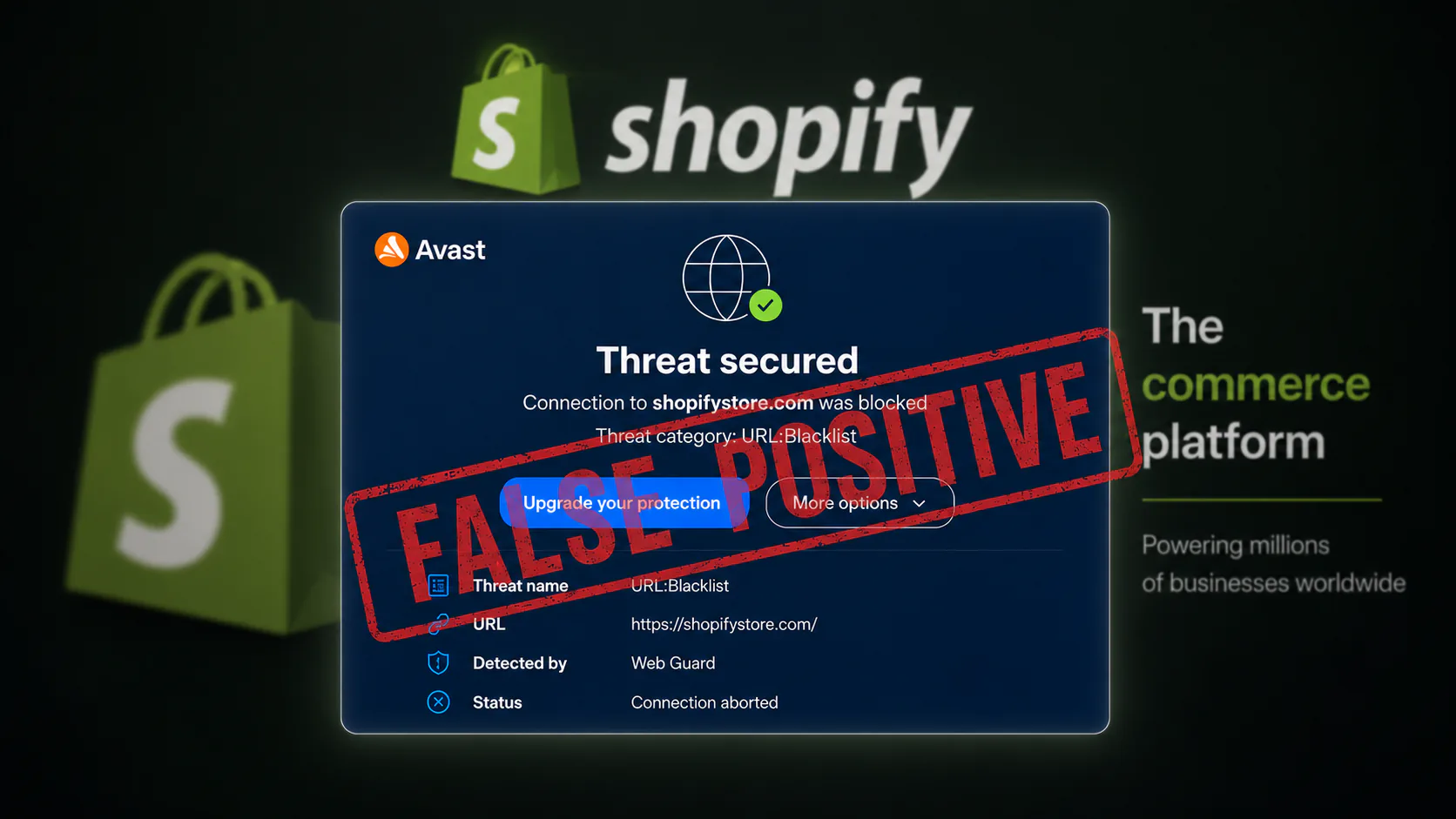
A thriving watch brand woke up to find antivirus software blocking its own store as “dangerous.” To customers and to the owners it looked like the site had been hacked…but it hadn’t been. The real cause was the brand’s own advertising and a tracker nobody remembered leaving behind.
Introduction: Locked Out of Your Own Store
The first sign of trouble came on a Sunday morning when the owner of an established Australian watch brand tried to open his own website at home and his Wi-Fi router refused to load it. The router’s built-in security filter had decided the site was dangerous and quietly slammed the door. Within a few days the problem had spread to where it really hurts: Avast and AVG, two of the most widely installed consumer antivirus products in the world, began throwing a warning in front of anyone who tried to visit the store. The verdict on the warning screen was blunt: the site was blacklisted.
For a direct-to-consumer brand, this is close to a worst-case scenario because it was being actively flagged as a threat to the very customers it depended on by software the brand had no relationship with. Every shopper running Avast or AVG (a base measured in the hundreds of millions of installs), saw a warning telling them to turn back. Each one was a sale that would never happen and worse, a customer who now half-believed the brand had been hacked.
That was the fear that brought the brand to Stonegate Web Security: the site had been compromised, a skimmer was stealing card details, and the antivirus vendors had caught it. It’s a reasonable thing to assume but it was also as it turned out completely wrong. This is the story of how I proved the site was clean, found the real cause in the last place anyone was looking, and got the brand un-blocked.
Part 1: Why a Blacklist Is Different From a Hack
The first job was to understand exactly what the antivirus products were saying because the wording matters more than it looks.
The Avast warning carried the verdict URL:Blacklist. That single word, blacklist, is the whole story in miniature. Antivirus software flags a site in one of two very different ways. It can detect malware, meaning it has examined a specific file or script on the page and found it to be malicious…or it can flag reputation, meaning it hasn’t found anything wrong with the code at all but the domain’s name appears on a list of addresses that someone, somewhere, decided were dangerous. The first is a statement about your code and the second is a statement about your name.
This was unmistakably the second kind. The block was domain-wide and it didn’t single out one infected script; it aborted every request to the domain and stamped each aborted request with whatever address happened to be in flight at the moment. That detail explained a red herring that had been worrying the owners: one of the warning screenshots flagged a path on the site called /api/collect which sounds exactly like the kind of data-siphoning endpoint a skimmer would use. In this cause though it turned out to be nothing of the sort; it’s a standard performance-monitoring beacon that the Shopify platform itself installs on every store it hosts and it only appeared on the warning because the domain-wide block happened to catch a request to it. A second screenshot showed the identical verdict against the plain homepage so the antivirus wasn’t objecting to any particular page but rather to the address.
That reframing changed everything about the investigation. A reputation block isn’t evidence of a compromise, but it’s also not proof of innocence. A site can earn a bad reputation by actually being malicious, or it can be a false positive. To dispute the listing credibly and to make sure it wouldn’t simply come back, I couldn’t just assume innocence…I had to prove it by auditing every part of the store the brand controlled and accounting for every external connection the site made, and I had to find out why the domain had landed on a blacklist in the first place because a dispute that can’t explain the cause tends to bounce.
Part 2: Ruling Out a Compromise
A modern Shopify storefront isn’t a single thing you can scan but is rather a stack: theme code, dozens of installed apps, tag managers, tracking pixels, and a swarm of third-party scripts that load in the visitor’s browser from servers all over the internet. A skimmer can hide in any of those layers so I had to audit all of them.
I started with the code the brand owns pulling full exports of both the live theme and a second theme that was in development. The compressed, minified script bundles (the kind of dense unreadable code where malicious payloads love to hide) I had expanded back into readable form. I then ran systematic sweeps for the fingerprints of an attack: code that talks to unknown servers, obfuscation tricks used to disguise payloads, anything that reads payment-card fields or hooks the checkout, anything that captures keystrokes. I checked the theme’s revision history against the timeline of the incident to see whether anything had been changed while the attack was supposedly underway.
Then I audited the live store as a visitor’s browser actually experiences it. I captured every script the storefront loaded on a real page view (around a hundred and fifty of them) and fetched and inspected each third-party script individually. I captured the fully rendered HTML of the homepage, a collection page, a product page, and the cart, and extracted every external destination each one reached out to. I enumerated all fourteen tracking pixels configured on the store and checked the two custom ones line by line. I exported and audited both of the brand’s tag-manager containers, including every piece of custom code inside them and I reconciled everything against the full inventory of installed apps (around forty-six of them) plus the history of apps that had been uninstalled, plus the store’s sales channels.
The discipline that made this conclusive was simple to state and tedious to execute: every external destination the site talked to had to be identified and tied back to a known vendor, an installed app, or a Shopify platform service; no unexplained connections were allowed to remain open. When you finish that exercise and the list is complete, you have something much stronger than “we looked and didn’t see anything”…you have a closed accounting of where the site’s data goes.
The verdict was clear–no malware, card skimmer, injected code, unauthorized access, or unexplained external host, and the independent multi-engine reputation aggregators agreed: across a panel of more than ninety security engines, essentially none rated the site as malicious. The site hadn’t been hacked which meant that whatever had put it on a blacklist wasn’t a compromise.
That left the real question: if the site was clean, why did a blacklist think it was dangerous?
Part 3: The Mystery Traffic
To answer that, I turned to the store’s own analytics and to a second mystery the brand had been wrestling with for a couple of weeks.
In late May, the store had been hit by an enormous sudden wave of traffic…over roughly ten days, about ninety thousand sessions poured in and they were overwhelmingly from India and South East Asia with almost all of them landing on a single collection page and almost none of them buying anything. On the peak day the store logged 13,575 sessions which was more than a hundred times the normal level for that audience. To the owners, watching the numbers climb with no sales attached looked exactly like a bot attack and so they reacted the way most merchants would: they installed an app to block visitors from those countries and they braced for the worst.
This surge was the thread that when pulled unraveled the whole case. I traced it back to its source in the first-party analytics and the source was a genuine surprise…
The traffic wasn’t bots or an attack or anything like that, rather it was the brand’s own advertising.
The store’s analytics reports had labelled the surge as “organic” search traffic which is exactly why nobody recognized it, but buried in the tracking parameters on those visits was the truth: 97 percent of the surge sessions carried the brand’s own Google Ads campaign identifiers and around three-quarters of them arrived through the Google Discover feed on Android phones. A few weeks earlier, the brand had launched a “50 percent off” holiday promotion through Google Ads. The campaign’s geographic targeting had been left wide enough to allow delivery into India and South East Asia where ad inventory is the cheapest in the world. Google’s algorithm did what algorithms do: it found the cheapest possible engagement and poured the budget into it dumping tens of thousands of zero-intent clicks onto the store from feeds half a world away from the brand’s actual customers.
A small technical gap explained why this had stayed invisible. Because of how the ad links were tagged, the store’s analytics couldn’t tell that this was paid traffic and filed it under “organic” so the owners saw a flood of overseas visitors that their own reports swore had arrived on their own, recognized none of it as their advertising, concluded it was a bot attack, and started blocking the very people their ad budget was paying to attract.
Part 4: How an Ad Campaign Becomes a Blacklisting
Identifying the traffic was satisfying but it was the link to the blacklist that made the case click into place.
Think about what those ads looked like in those feeds…heavily repeated “50 percent off luxury Swiss watches” creative, shown over and over to bargain-feed audiences in markets that are absolutely saturated with counterfeit-watch scams. That specific genre of ad (deeply discounted luxury watches in a cheap feed) is one of the most reported scam patterns on the internet because the overwhelming majority of ads that look like that are scams. The brand’s perfectly legitimate promotion was, through no fault of its honesty, wearing the exact uniform of a fraud.
When ads like that get reported often enough, the reported domain can end up on a crowdsourced security blacklist and that’s what I believe happened here. The timeline lines up cleanly: the ad blitz began in the third week of May; around the start of June the domain appeared on CRDF Threat Center (a community-driven threat-intelligence blacklist) categorized as a malicious URL; a few days after that the home-router filter blocked the owner; and a day or two later Avast and AVG began blocking everyone. The mainstream antivirus products hadn’t independently judged the site but had rather inherited the verdict of that one upstream blacklist, the way downstream products routinely consume shared threat feeds. One trigger-happy listing, copied outward, was blocking a clean store across hundreds of millions of devices.
I want to be careful about how I state this, and you should be too when you read it: blacklists don’t publish their reasons so the ad-report chain is the most likely explanation, not a proven certainty, but it’s the explanation that fits every piece of evidence I have, and crucially, it pointed straight at the fix.
Part 5: The Tracker That Made the Site Look Guilty
There was one more finding and while it didn’t cause the blacklisting, it’s the part of this story most likely to be true of your store right now.
Months before any of this began, back in December, the brand had trialed a third-party marketing tracker, the kind of tool that promises to recover abandoned carts by identifying anonymous visitors. They cancelled it after a few weeks because it was causing problems in their email platform filling it with false events. The subscription ended but…the tracking code was never removed.
So it kept running…on every page, for months, this abandoned tracker was still collecting every visitor’s full cookie store, reading everything the site had saved in the browser, generating a device fingerprint, then sending all of it to a third-party server through randomized web addresses designed to slip past ad blockers. On top of that, it was reaching into other tools on the page and intercepting the email addresses and phone numbers that visitors typed into other companies’ forms.
Now, this was legitimate commercial software doing what it was sold to do, but step back and describe its behavior without the brand name attached: code on a checkout-capable store, harvesting the entire cookie jar and a device fingerprint, intercepting personal information out of other forms, and exfiltrating all of it to an outside domain through addresses engineered to evade blocking. That description is indistinguishable from a Magecart-style card skimmer. To an automated reviewer arriving to check whether the site deserved its bad reputation, this is the worst possible thing to find. It didn’t put the brand on the blacklist but it was a loaded gun on the table when the inspector walked in and it made the site look guilty exactly when it most needed to look innocent.
It was also a real privacy problem in its own right entirely separate from the antivirus drama. A cancelled vendor with no remaining business relationship had been quietly collecting visitors’ personal data for months and it neatly explained the brand’s earlier complaint about false events in its email platform: the tracker had been intercepting and re-submitting the identities people entered into the store’s own signup forms. I have a name for this pattern…I call it a zombie tracker: a tool you killed that is still walking around your site, feeding.
Part 6: The Misdiagnosis
While I was at it, I looked at the country-blocking app the brand had installed in a panic against the “bot” surge and found it was doing almost nothing useful.
The app worked inside the visitor’s browser which means a blocked visitor still fully loaded the page, fired every tracker, and registered as a session before being shown the door. On a platform like Shopify where the store’s traffic goes straight to Shopify’s servers, true request-level country blocking isn’t something a merchant can do with an app like this, so the block was cosmetic. It didn’t stop the overseas traffic, and the analytics confirmed hundreds of those sessions per day were still arriving after the block went up. What it did accomplish was turning away the occasional genuine overseas customer.
Part 7: The Fix
With the picture clear the remediation was direct and I sequenced it deliberately: clean the site first then dispute the listing because a dispute filed while the site still exhibits suspicious behavior tends to fail.
First, I removed the abandoned tracker, both the live pixel and the orphaned file left behind in the theme, and then verified on the live storefront that it was truly gone with no remaining trace of it loading, collecting, or phoning home. The data harvesting and form interception were off the site.
While I was in there, I trimmed two more things. The store was running a paid analytics app that simply duplicated a free official one (recording every session twice for no benefit) so I removed it. I also removed the cosmetic country-block app that was doing more harm than good. So between them, those two cuts saved the brand close to thirty US dollars a month.
Then I went after the listing at its source. The most important move in any delisting is to dispute the upstream blacklist (the one the others are copying) rather than chasing each downstream product one at a time. I filed a false-positive dispute with the originating blacklist (CRDF) and the result was the breakthrough of the case: they removed the listing the same day I filed it. alphamountain.ai, a second reputation service that had flagged the site, reclassified it as clean that same day as well. With the source retraction in hand, I then filed with the antivirus vendor citing that retraction as the strongest possible evidence, because nothing persuades a downstream product like the upstream feed admitting it was wrong.
The cleanup landed fast. The day after the source listing was pulled the multi-engine aggregator showed zero malicious detections. The last lingering advisory rating (from Gridinsoft) was cleared a day later after a manual review and within days the antivirus blocks themselves lifted and customers could reach the store again.
The one piece I deliberately didn’t do myself was the true root-cause fix: correcting the ad campaign’s geographic targeting so it stops delivering into the wrong markets. That change lives inside the brand’s advertising account and belongs to whoever manages their ads, so I identified exactly what needed to change and with the warning that until it was fixed the next big promotion could re-create this entire incident from scratch. I closed by delivering a written report with a prioritized hardening plan for everything the audit had surfaced along the way.
Part 8: What Else the Audit Found
A thorough audit always turns up more than the thing you came for. None of these caused the blacklisting, but all of them were worth fixing and they show why a real investigation is worth more than a quick scan.
-
The brand was impersonable in email. Neither the storefront domain nor the corporate domain enforced modern email anti-spoofing protections which means anyone could send email that appeared to come from the brand with nothing to stop it. For a business whose owners’ inboxes are a prime phishing target, that’s a standing risk.
-
Old domain-ownership records were still active. A handful of leftover verification records meant that past agencies or tools may still have held privileged access to the brand’s presence in Google’s tools, long after those relationships ended.
-
A retired website was still online. An old, unmaintained WordPress site in the brand’s domain family was still kept alive but apparently only to redirect visitors. An unpatched WordPress nobody is watching is a classic way to get compromised, and a fresh compromise there could re-trigger the very reputation problems I had just cleared.
-
The app estate was overgrown. Around forty-six installed apps is a lot of trust to extend and several were duplicative or unused. Every app is a third party with a key to part of your store. Fewer is safer and usually cheaper.
Part 9: The Results
Evidence Ledger
When the dust settled, the brand had:
Backed by a comprehensive audit rather than a single scan, with every external connection the site makes accounted for.
The upstream dispute was accepted the day it was filed, and the ninety-plus-engine reputation panel dropped to zero malicious detections.
Access was restored for the hundreds of millions of customers using the affected products.
Duplicative and harmful apps were removed as a useful side benefit of the cleanup.
They could fix it to prevent a repeat, plus a hardening roadmap covering email anti-spoofing, account security, legacy-system cleanup, and ongoing reputation monitoring.
Lessons
1) A blacklist is a statement about your name, not always about your code. Antivirus software can flag you for malware it found or for a reputation it inherited. Those are different problems with different fixes so before you panic that you’ve been hacked, find out which one you’re looking at.
2) Your own marketing can get you blacklisted. This is the counterintuitive heart of the case. A perfectly legitimate promotion delivered into the wrong feeds can look identical to a scam and get reported as one. If you run aggressive discount advertising, watch where it’s actually being delivered. Cheap clicks from the wrong side of the world aren’t a bargain if they cost you your domain’s reputation.
3) Trialing a marketing tool is easy. Removing it is forgotten. The zombie tracker in this case ran for months after the brand stopped paying for it, harvesting visitor data the whole time and making the store look guilty. When you cancel a martech tool, confirm that its code is actually gone from your site and remember that cancelling the bill doesn’t uninstall the code.
4) The instinct to “block the bad traffic” is often a misdiagnosis. The brand spent money blocking visitors it thought were attackers who were in fact customers its own ad budget had summoned. When something looks like an attack, trace it to its source in your own data before you build a wall against it. The wall here kept out the wrong people and let the real problem keep running.
5) To get delisted, dispute at the source. Mainstream antivirus products copy their reputation data from upstream feeds. Chasing each product individually is slow and often pointless. Find the originating listing, get that retracted, and use the retraction as evidence everywhere downstream.
6) Panic thrashes, method wins. Every instinct in this incident pointed the wrong way: it looked like a hack, the traffic looked like bots, the suspicious endpoint looked like a siphon. A structured audit, accounting for every line of code and every connection, separated what everyone believed from what the evidence actually showed and found a same-day path out.
Conclusion: Clean, but Not Obvious
The hardest cases are not the ones where something is broken but are rather the ones where everything looks broken and nothing actually is. This store was never hacked, there was no skimmer, no breach, no attacker. This was just a case where a legitimate business that ran an ordinary discount campaign left an old tool running and got caught in the gap between how automated reputation systems work and how real commerce looks from the outside.
To be fair, that gap is wider than most merchants realize and it’s easy to fall into. A good ad campaign can wear a scam’s clothes, a cancelled tool can keep collecting data for months, a reputation verdict can spread across hundreds of millions of devices from a single report nobody can see, and none of it requires a villain. It just requires a few ordinary things lining up the wrong way and no one looking closely enough to tell the difference between guilty and merely guilty-looking.
If your customers are hitting antivirus warnings or a reputation service has flagged your domain, the worst move is to thrash because panic and false positives look the same from the inside. A structured audit can tell you quickly whether you’re dealing with a real compromise or a reputation problem and the two have very different fixes. This one turned out to be clean, mis-targeted, and fully recoverable, and the blocks were gone within days of finding the real cause.
If that sounds like what is happening to your store, a site security audit is the fastest way to find out what is actually going on.
Related Reading
-
Case Study: It Started with a Spoofing Complaint
A real estate agent's WordPress site, compromised for over two years with four backdoors, concurrent attacker sessions, and wire-fraud attempts targeting closings. -
Case Study: The Marketing Campaign That Followed Her Home
How a cold-email campaign poisoned a company's own domain reputation, sending ordinary client correspondence to spam, and why the mail logs told a different story than everyone believed. -
Case Study: The Overcached Website
When the problem isn't the site but the layers of cache and CDN in front of it, and why telling stale residue apart from a real fault is half the battle. -
Case Study: Thirty Sites, Two Keys
Repeated malware cleanups failed across a marketing agency's WordPress portfolio because a former contractor's hosting account and a staff administrator's stolen credentials remained active.